
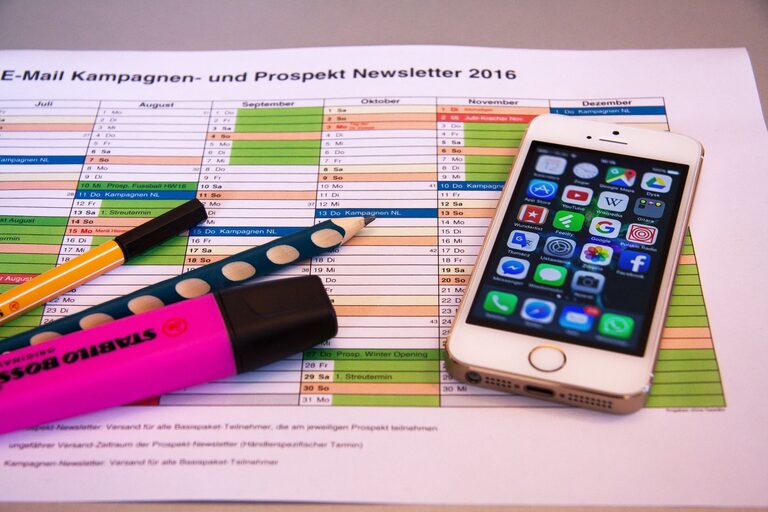
In today’s world, our digital lives often feel as cluttered as our physical spaces. From overflowing inboxes to disorganized files and countless apps, a cluttered digital life can cause stress and reduce productivity. The good news is that decluttering your digital environment is possible with simple steps and regular habits. This guide will help you regain control, find what you need faster, and enjoy a more focused online experience.
Why Declutter Your Digital Life?
A cluttered digital space can lead to:
– Wasting time searching for files or emails
– Feeling overwhelmed and distracted
– Reduced productivity and creativity
– Increased stress and digital fatigue
Taking time to declutter can improve your mental clarity, save time, and make technology work better for you.
Step 1: Organize Your Files and Folders
Create a Clear Folder Structure
Start by setting up a logical folder system. Use broad categories relevant to your work, hobbies, or personal life. For example:
– Work
– Projects
– Reports
– Personal
– Photos
– Finances
– Learning
– Courses
– Articles
Keep folder names simple and consistent.
Delete or Archive Old Files
Go through your current files and decide what you no longer need. Delete duplicates and outdated documents. For files you want to keep but don’t use often, consider moving them to an external drive or cloud storage archive.
Use Descriptive File Names
Rename files so that their contents are clear at a glance. Avoid vague names like “document1” or “final.” Instead, use dates and keywords, such as “2024_Tax_Return” or “MarketingPlan_Q2.”
Step 2: Manage Your Email Inbox
Unsubscribe from Unnecessary Newsletters
If your inbox fills up with emails you don’t read, take a few minutes to unsubscribe. Most newsletters include an unsubscribe link at the bottom. This reduces distractions and saves storage space.
Set Up Folders and Filters
Create folders or labels to sort incoming emails automatically. For example:
– Important
– Work
– Receipts
– Family and Friends
Use filters to send emails to specific folders based on sender or subject keywords.
Respond and Delete Regularly
Aim to process your inbox daily or weekly. Respond to important messages promptly and delete or archive emails you no longer need. Keeping your inbox near zero can reduce stress significantly.
Step 3: Clean Up Your Apps and Software
Review Installed Apps
Go through your phone, tablet, and computer to identify apps you rarely or never use. Uninstalling them frees up storage and can speed up your devices.
Update Software Regularly
Keep your apps and operating systems updated. Updates often include improvements and security patches that make your digital life safer and smoother.
Organize Apps into Folders
On mobile devices, group similar apps into folders like “Social,” “Work,” or “Health.” This makes it easier to find what you need and reduces screen clutter.
Step 4: Manage Your Digital Accounts and Passwords
Close or Delete Unused Accounts
If you have accounts on websites or services you no longer use, consider closing them. This reduces the risk of forgotten passwords and potential data breaches.
Use a Password Manager
Managing multiple strong, unique passwords is challenging. Password managers securely store your passwords and can generate strong ones, making it easier to keep your accounts safe and organized.
Step 5: Establish Daily and Weekly Digital Declutter Habits
Schedule Regular Check-Ins
Set aside 10-15 minutes a day or an hour a week for digital organization tasks like deleting emails, renaming files, or reviewing apps.
Backup Important Data
Regularly back up your important files, photos, and documents to an external drive or cloud service. This protects your data from accidental loss.
Minimize Notifications
Adjust settings to reduce unnecessary notifications from apps and email. Minimizing alerts helps you focus and reduces digital distractions.
Bonus Tips for a Cleaner Digital Life
– Use cloud storage services like Google Drive, Dropbox, or OneDrive to keep files accessible and synced across devices.
– Consider using productivity tools like task managers or calendar apps to organize your digital schedule.
– Invest time in learning keyboard shortcuts and features that speed up your workflow.
—
Decluttering your digital life is an ongoing process but well worth the effort. By making your online space orderly and intentional, you’ll spend less time searching and more time focusing on what really matters. Start with small steps today and enjoy a clearer, more productive digital experience tomorrow!